Kyrre Bakke · July 2026 · Last updated July 2026
ArchiBuddy Product Updates
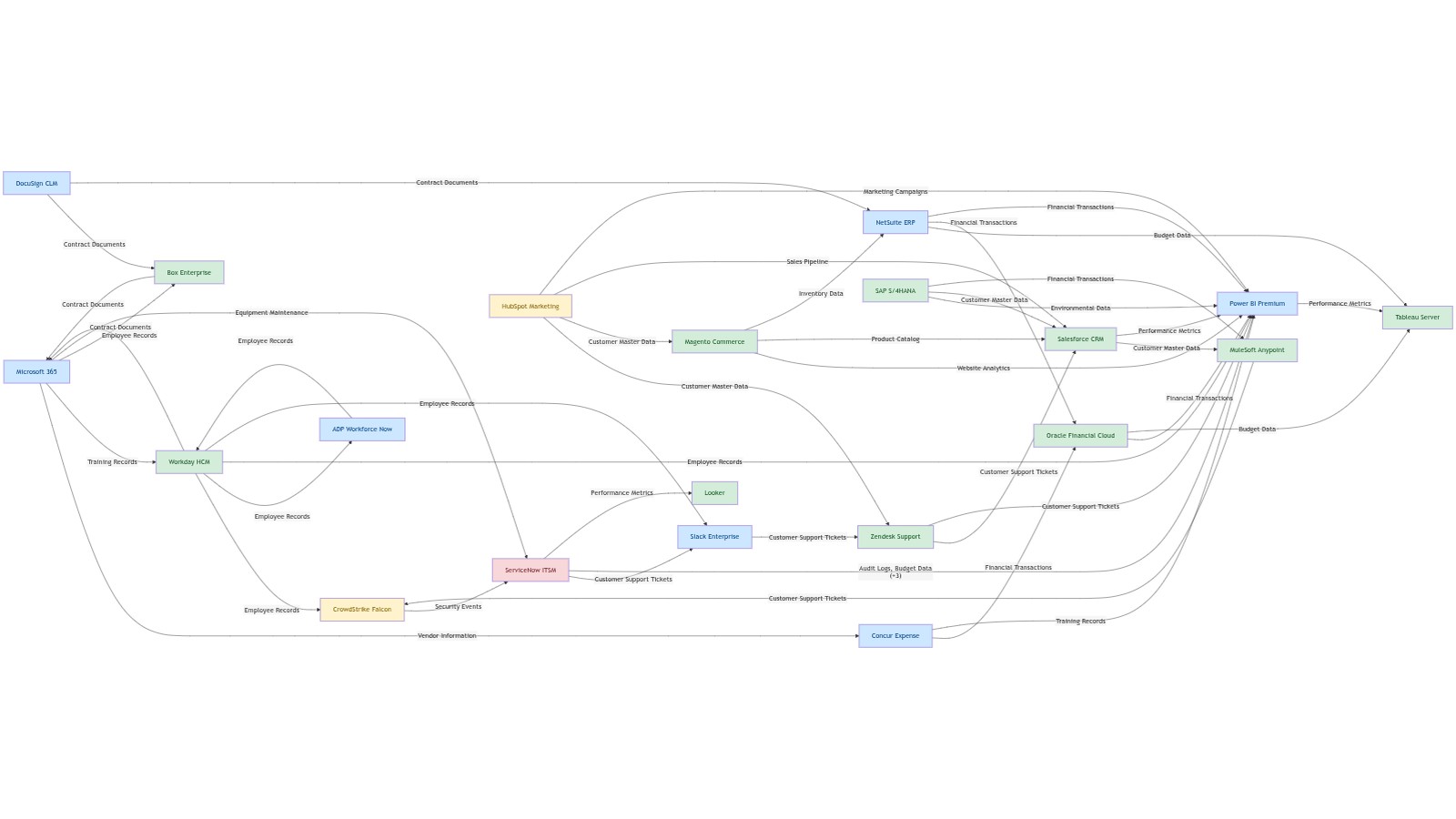
Recent ArchiBuddy updates focus on reflecting how organizations actually work: messy integrations, unclear ownership, shared data responsibility, organizational structure, and local ways of categorizing information, without turning the tool into another heavyweight platform.
A lot has changed in ArchiBuddy during the last few months.
The focus was not on adding more complexity. It was on making the product better reflect how organizations actually work: imperfect integrations, unclear ownership, shared data responsibility, organizational structures, and local ways of categorizing information.
Here is what changed and why I prioritized it.
Model how data actually moves
Interfaces can now contain multiple data objects, manual transfers appear in diagrams, and interface naming is more flexible. This matters because real integrations are rarely as clean as architecture diagrams make them look.
Data may move through APIs, batch jobs, file transfers, spreadsheets, manual processes, and more. Leaving these flows out creates a simplified picture that may look good, but is not very useful when you need to understand dependencies or assess the impact of change.
ArchiBuddy now makes it easier to show the landscape as it actually is, including the less elegant parts.
Make ownership explicit
Key responsibilities can now be assigned to single-holder roles. Ownership is often one of the weakest parts of an architecture inventory. A team may be involved, several people may contribute, but nobody is clearly responsible.
That becomes a problem when:
- Information is outdated
- A system needs to be replaced
- A data issue needs to be resolved
Someone has to make a decision.
The principle is simple: if nobody owns it, nobody fixes it.
By making ownership explicit, ArchiBuddy helps turn architecture information from passive documentation into something that can actually be maintained and acted on.
Map data and applications using CRUD
You can now define whether an application can Create, Read, Update, or Delete a data object. This gives a more precise picture than simply saying that an application "uses" data. For example, several applications may read customer data, while only one is allowed to create or update it. In other cases, multiple systems may act as master for the same information, whether intentionally or because the landscape has evolved that way over time.
CRUD relationships help reveal:
- Which systems create information
- Which systems only consume it
- Where updates take place
- Where several systems appear to share master responsibility
That last point is especially useful. Architecture inventories often describe an intended master system, while the real landscape contains several applications that can update the same data. ArchiBuddy now makes it easier to document that reality instead of hiding it.
Connect architecture to the organization
Business Unit modelling is now supported end-to-end. You can build organizational hierarchies, drill down into individual units, and use them in reports and filters. Architecture information becomes much more useful when it can be connected to the organization it supports.
Instead of only asking:
- Which applications do we have?
You can also ask:
- Which applications support this business unit?
- Which capabilities are used across several parts of the organization?
- Which systems will be affected by an organizational change?
- Where do different units rely on separate applications for the same purpose?
This is particularly useful during reorganizations, consolidations, mergers, or decentralization initiatives.
Add custom attributes without changing the core model
Custom attributes are now available across all core ArchiBuddy objects. You can add dropdowns, text fields, numbers, and organization-specific classifications. These attributes are available in tables, reports, exports, and heatmaps.
Every organization has its own terminology and ways of categorizing information. One company may classify applications by hosting model. Another may need a regulatory category, sourcing strategy, migration wave, or internal risk rating.
A completely fixed model becomes restrictive. A fully customizable metamodel, on the other hand, quickly becomes difficult to manage.
Custom attributes provide a middle ground.
ArchiBuddy keeps its lightweight and opinionated core model, while allowing organizations to add the information that matters in their own context.
The direction remains the same
The goal of ArchiBuddy is not to become another large and highly configurable architecture platform. It is to provide enough structure to understand the application, data, process, capability, and technology landscape, without creating a new maintenance problem.
These improvements all support the same principle: make enterprise architecture useful for teams that do not have the budget or appetite for the large platforms, but still need to understand what they have.
See ArchiBuddy today
Everything in these updates is in the product today. Try it with sample data or with your own landscape.
14 days, no credit card required
Explore the live demo